
Voyager
When I was in elementary school, I discovered a series of books in the library that detailed, in glorious full page color, photos of the outer solar system as captured by Voyager 1 and Voyager 2 on their epic journeys to places never before explored by humanity. I was so stunned and enthralled at the thoughts of visiting those distant worlds; it indeed captured my imagination, and continues to inspire me even now, two decades after I first learned of their amazing quests.
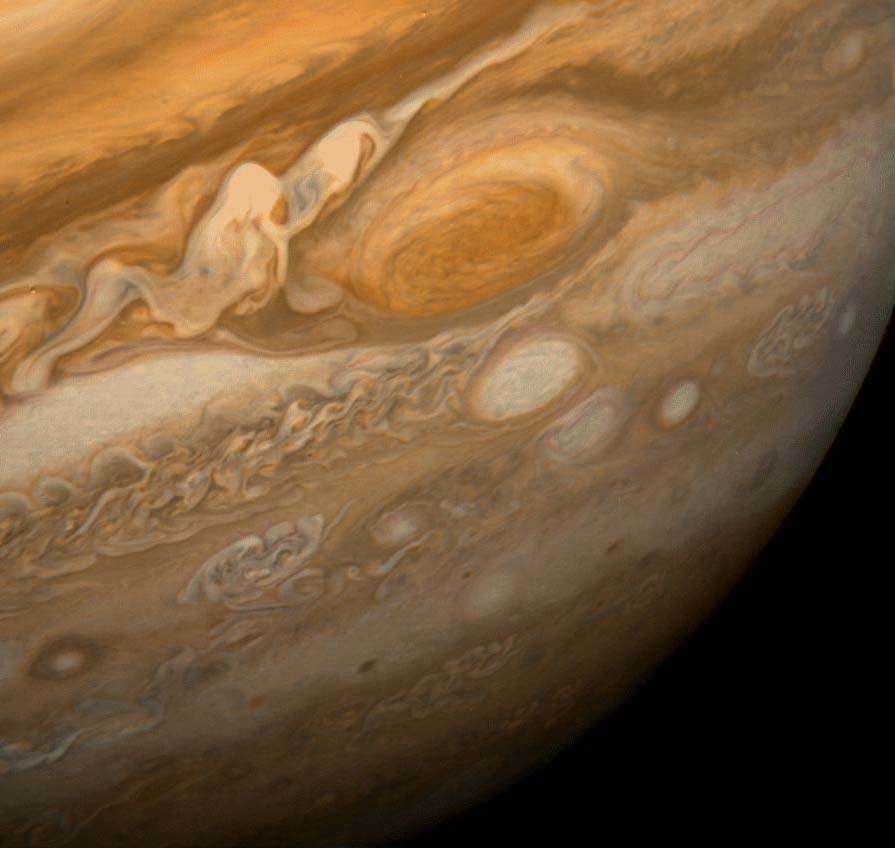
I’ve spent countless hours dreaming of visiting the planets and stars of our universe: in games like Wing Commander, Freespace, Freelancer, Mass Effect, and X3, exploring fictional galaxies, and in Orbiter Sim, recreating my own journeys to the planets and moons of our own solar system. I can’t wait for Star Citizen and X Rebirth to give me further ways to escape the confines of Earth and experience worlds that I will never be able to visit otherwise.
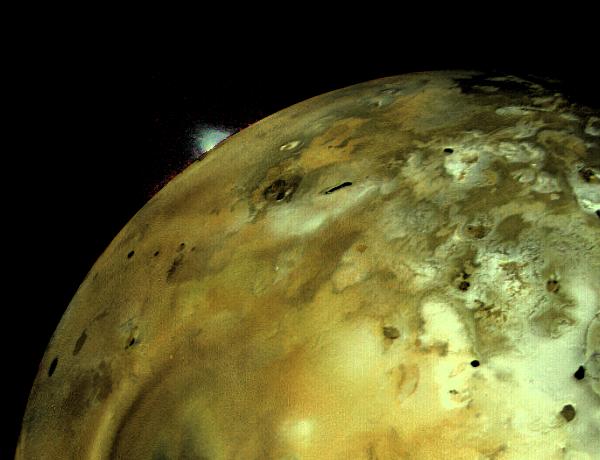
And I have NASA to thank for inspiring so many of these wonderful outlets, from the Mercury, Gemini, and Apollo projects that took us to the Moon, the Voyager missions for showing us just how beautiful our own back yard really is, to the Mars rovers for exploring our closest neighbor, and to future NASA missions like New Horizons that are leading the way towards understanding our tiny place in this vast universe.

Today, it was finally confirmed that Voyager 1 has indeed crossed the boundary of the heliosphere and forever left our solar system behind.
Wow.
I simply find it incredible that not only is Voyager still working after four decades of exceptional service, but that it’s still capable of aiming its antennas at Earth, sending a coherent signal using only 23W of power, and actually sending useful data back to us. That alone is a hugely amazing achievement, and I think everyone at NASA should be eternally proud of their accomplishment. The fact that we now have even more data points regarding the boundaries of our solar system is just pure icing on top of that cake, and I congratulate everyone involved in the project.
If you asked me what my favorite spacecraft is, fictional or not, it wouldn’t be the Enterprise, the Millenium Falcon, the Normandy, or even the Apollo rockets; it would be Voyager. And it will forever hold a special place in my heart.
So thank you, NASA. Thank you.
Favorite Android Apps of 2012
Eighteen months ago, I wrote an article about my Favorite Android Apps, but a lot has changed with Android and its app ecosystem since then. Developers have started putting more focus on design and usability when creating apps, and of course newer apps have come along that I have come to rely upon. I myself have upgraded to newer devices, with a Nexus 7 replacing my Galaxy Tab 10.1, and a Galaxy Nexus from work has sadly replaced my beloved but aging Nexus S. So what follows are some of my favorite new apps from 2012, and some follow-up on what my previous favorite apps look like in modern attire. All screenshots are taken from devices running Android 4.2.1 (CM 10.1 nightlies).
IRC, My Way
This is a post I’ve been meaning to write for a long time. I have a rather complicated setup involving multiple layers, but the end result is amazing. I maintain a 24/7 presence on the internet — on multiple IRC servers and instant messaging services — and I can send and receive messages from any computer or device I happen to be using at the time.
From any SSH client, I can seamlessly pick up my IRC session where I last left it, regardless of where I started that session. Similarly, I can connect with my phone’s IRC client, get a short backlog of recent conversations, or answer pending private messages. When I’m not already engaged in a conversation, I get near-instant notification on my phone and desktop, allowing me to respond at my leisure and from any location. I never miss a private message because I was connected from the wrong place, other users always see a single nick, and I get a central, searchable history of every channel and private message.
With this sort of setup, I gain a lot of freedom — to deal with conversations on my terms — and convenience. It’s served me well for a couple years, and I’ve enjoyed IRC much more since putting it all together. For each layer, I’ll detail the tasks it covers, the software I’ve chosen, and give a copy of any configuration files or options needed to replicate my environment.
Favorite Android Apps
This past Friday, I bought the new Samsung Galaxy Tab 10.1, and I absolutely love it. The new Honeycomb interface looks amazing, and is quite an improvement over what’s available on my Nexus S with Gingerbread. I love that the back, home, and task switching buttons are now rendered on the screen instead of having hardware buttons, and combining those buttons into the notification and status bar means you don’t even lose screen space compared to previous versions. The new application switcher looks really nice, but does seem to have some odd behaviors, like not showing the browser that I just switched away from, or seemingly choosing at random whether to display the list from the top instead of from the bottom where you would expect.
There are a lot of applications that don’t yet take advantage of what’s offered by the Honeycomb APIs, but still tend to work really well. It mainly depends on how well the author designed the application to scale with the user’s screen size and density. An example of doing it wrong is the official Facebook app; it’s still usable mind you, but it certainly looks dumb in process, showing the main menu as a large grid of tiny icons with massive amounts of whitespace between them. It would have gone a long way if they had simply scaled the images to fill the screen.
I’ve been meaning to write about some of my most cherished apps, and seeing them in new form has given me an even better reason to get to it. Some of them really only work well on a phone, and others have only gotten better than ever when given a tablet form factor to call their own. So in no particular order, here are my favorite apps for Android. All prices are rounded up from Market estimates at time of writing, and all screenshots are taken from my devices: